

Share your account
Your NappAI account can have a team: people you invite to work with you on your flows, credentials, environments and schedules. Each member signs in with their own user and password, but works inside your account: the flows they create belong to the account, and what they run uses your plan.
What each member can do is decided by their role. There are four: Admin, Builder, Operator and Viewer. See Roles and permissions.
Your account’s team
Open it from your profile, in Subscription. The Users box shows the account owner first and every member below, with their email, the date they were invited and their role.
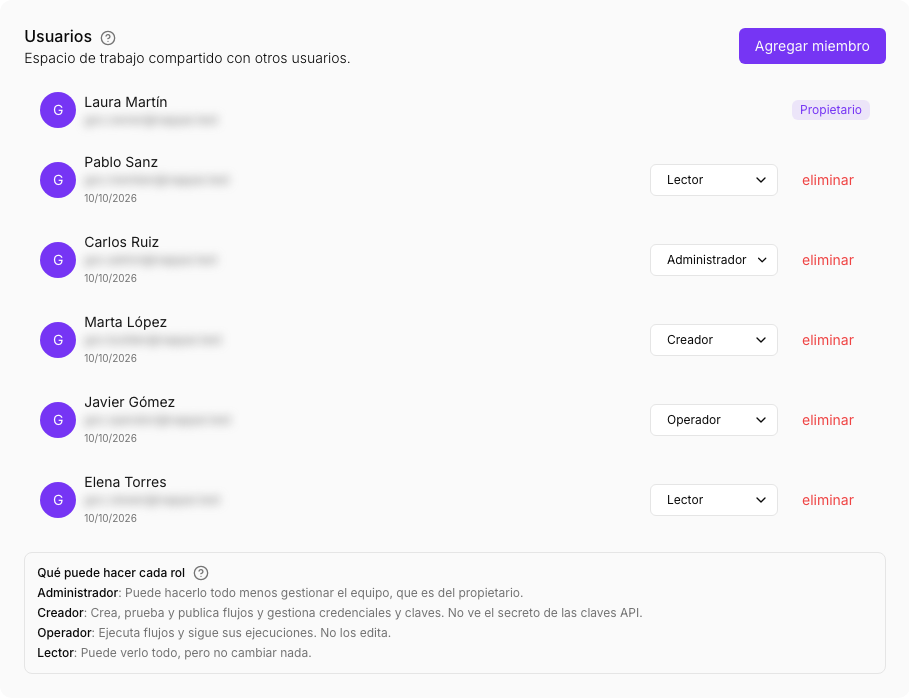
Below the list, What each role can do sums up each role in one line.
How many members you can have depends on your plan. You can see it on the Members card of the same page.
Invite someone
- Click Add member.
- Type the person’s email.
- Choose their role. The list shows what each one allows.
- Click Add member.
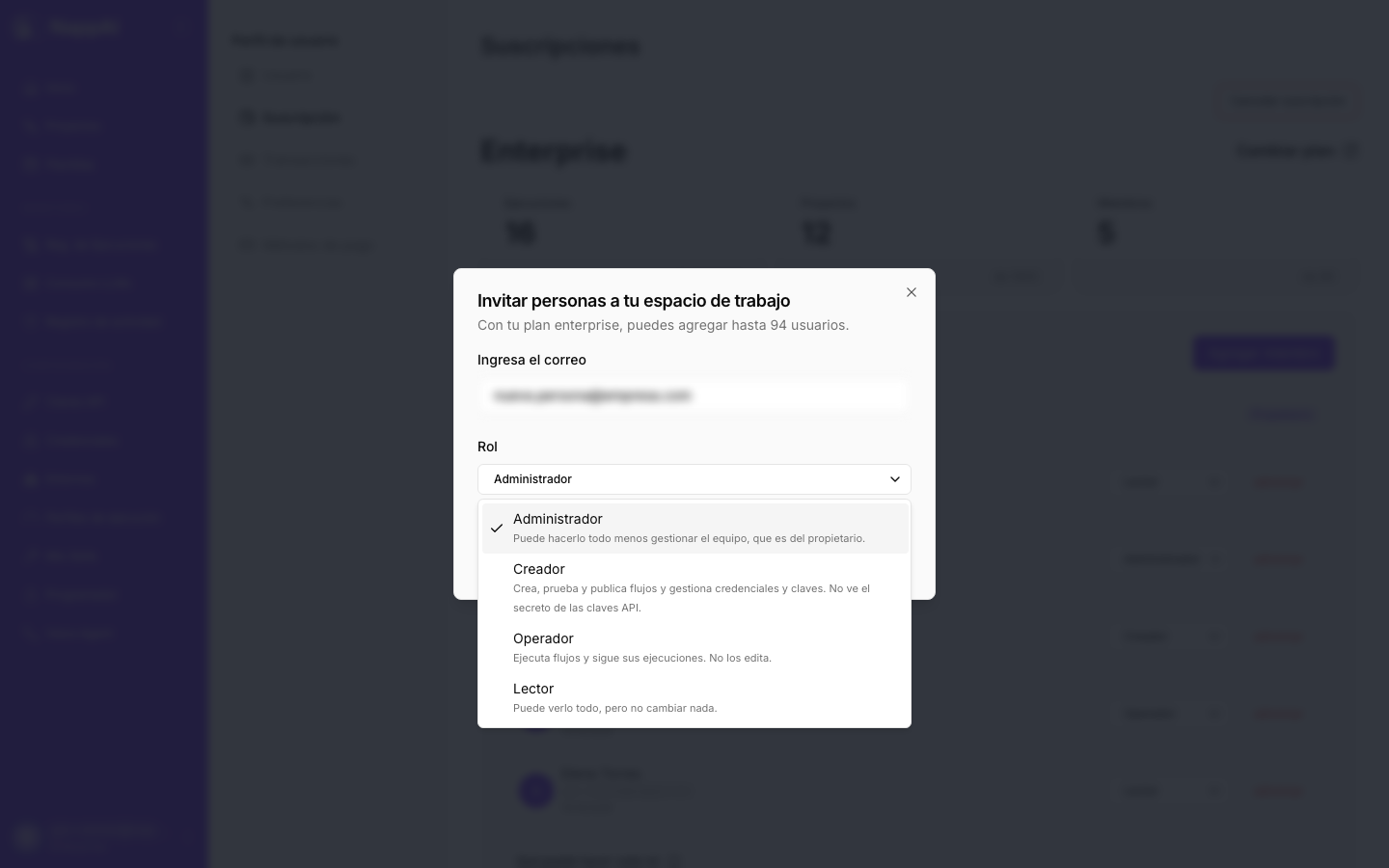
The person gets the invitation by email and as a notification in NappAI. Until they accept it, they show as pending in the list and have no access to anything. If they don’t have a NappAI user yet, they first have to sign up with that same email.
Change a member’s role
Open the role next to their name and pick another one. The change applies straight away: the next thing that person does already counts with their new role.
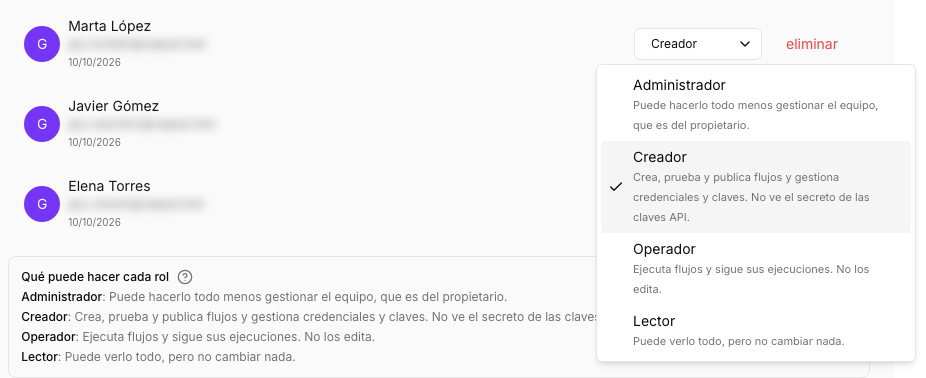
Only the account owner can change roles, invite and remove members. Not even an Admin can: this way nobody can raise their own role or bring someone else into your account.
Remove a member
Click remove next to their name and confirm. They lose access to your account straight away. The flows they created stay in the account.
What a member sees
When a member signs in, they work in the owner’s account: they see its flows, credentials and schedules according to their role.
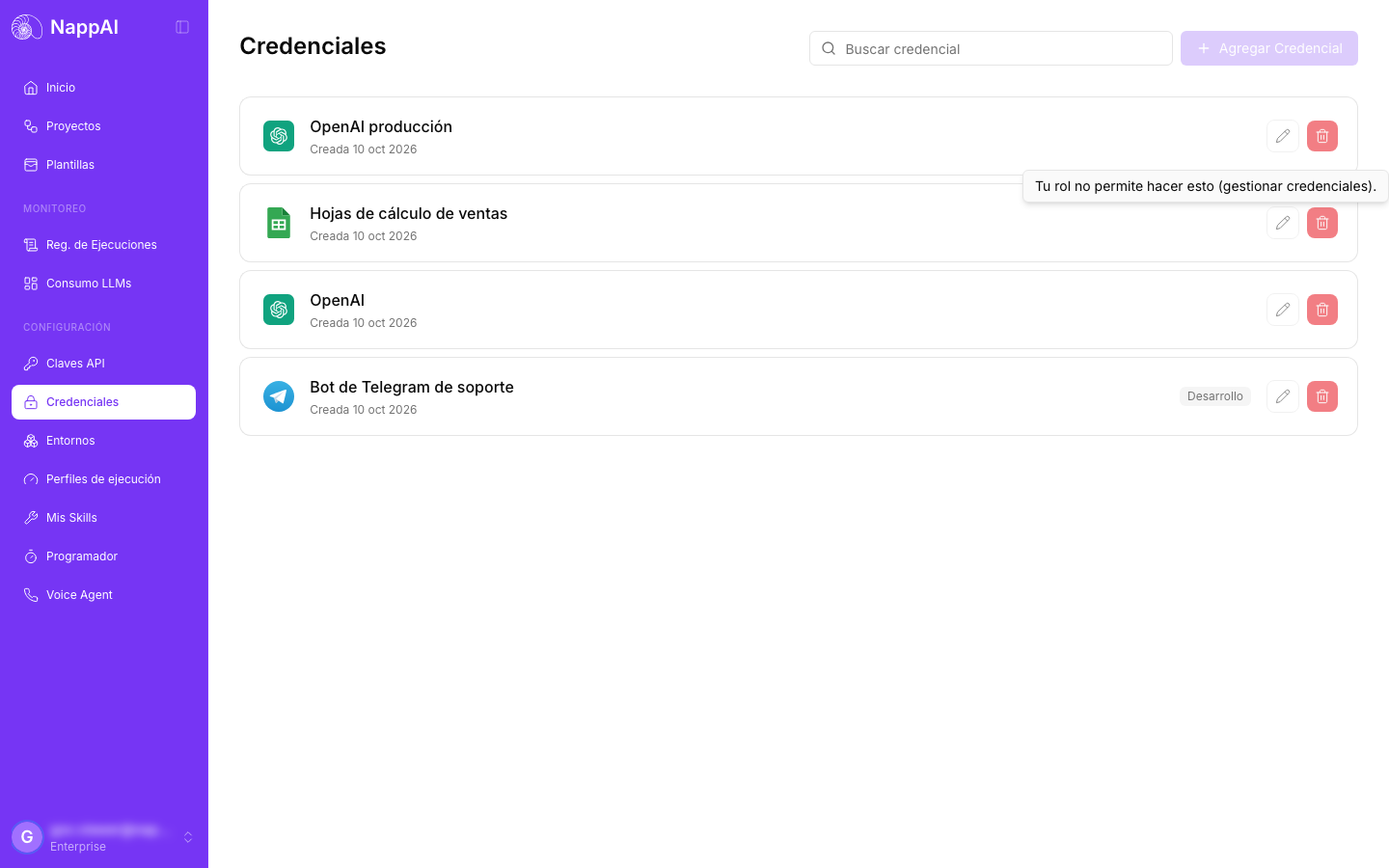
What their role doesn’t allow is shown, but disabled. When they hover over it, NappAI tells them which permission they’re missing. Pages they can’t open, such as the activity log for someone who isn’t an Admin, explain that their role doesn’t allow it.
Leave a team
If you’re a member of someone else’s team, your profile shows User team manager in Subscription, with the account you belong to. Click Remove and confirm. You go back to working in your own account.
Who did what
Everything each member does is recorded in the account’s Activity log: who created, changed, published or ran each thing, and when. The owner and the Admins can see it.