

Jev
Jev is TypeSafe AI’s decision model. It works like Laya: it reads a text, answers a question you define and always returns one of the answers you planned, with how sure it is of each one. Each possible answer is an output of the node, and the text carries on only through the output of the chosen answer.
The difference is where the decision is made: the text is sent to the TypeSafe AI service, which reads long texts, and each decision is charged to your TypeSafe AI account. Use it when your texts are too long for Laya or when you prefer to work with that service.
When to use it
- Classify long documents, such as contracts, reports or whole email threads.
- Send lengthy requests to the teams that should handle them.
- Decide whether a detailed claim needs a person to step in.
- Tag case files with every topic they cover.
Configuration
| Field | What it does |
|---|---|
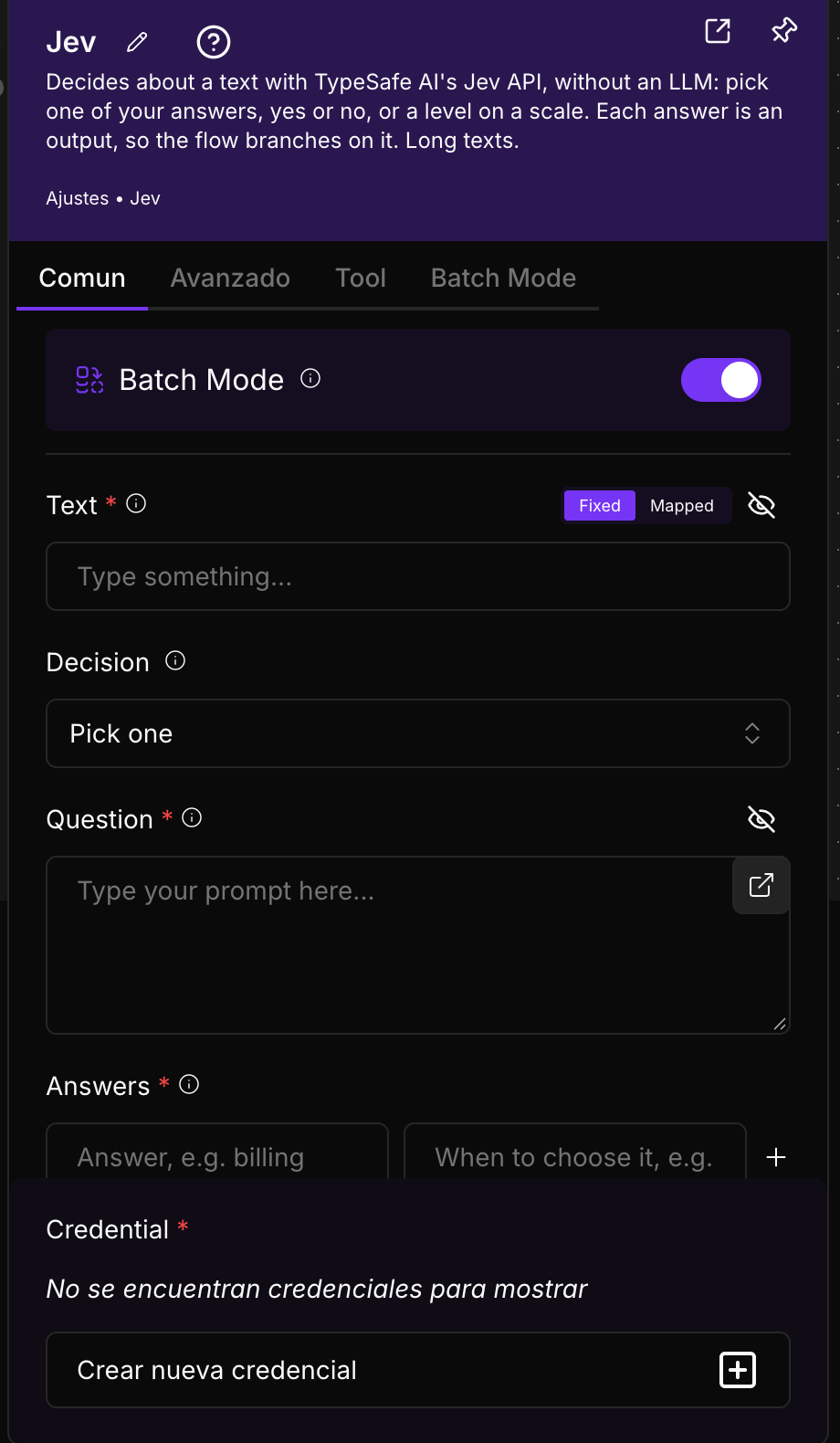
| Credential (required) | The credential of the Jev API service. Choose one in Choose an option or create one with Add new credential, using the key of your TypeSafe AI account. More in Credentials. |
| Text (required) | The text to decide about. Connect it from another component or type it. In Batch Mode, switch to Mapped and drag the item field that holds the text. |
| Decision | The kind of decision: Pick one (choose one answer), Pick several (every answer that applies), Yes or no, or Scale (a level on a scale). Default: Pick one. The fields and the node’s outputs change with your choice. |
| Question (required) | What to decide, in plain words and in the language of the texts. For example: “Which team should handle this message?”. |
| Answers (required with Pick one and Pick several) | One row per answer: its name and when to choose it. The description is what Jev compares the text with. You need at least two answers and at most 50. |
| Levels (required with Scale) | The levels of the scale, from lowest to highest; for example low, medium, high. Between 2 and 10 levels, with no repeated names. |
Advanced options
| Field | What it does |
|---|---|
| Minimum confidence | A value between 0 and 1. When the answer is less sure than this value, the text does not leave through that answer but through an extra Unsure output, so a person can review it. 0 (the default) turns it off. |
| Model | The Jev version to use. Default: jev-latest, which always follows the latest version. If you type a specific version (for example jev-1.13.0), answers stay stable even when new versions come out. |
Batch processing
With the Batch Mode switch on, the component runs once for each item of the list you connect to Batch Input and returns all the results together as a list. Parallel Executions sets how many items are processed at the same time (1 to 5). Skip if Empty Batch Input skips the component when the list arrives empty, and Skip Branch if Empty Output stops the following components when the result is empty. More in Key concepts.
Only the text changes from one item to the next: the question and the answers are the same for all of them, and each item leaves through its own answer.
Using it as an agent tool
You can connect this component to an agent’s Tools input. In the Tool tab, Tool Name and Tool Description are the name and explanation the agent uses to recognise the tool and decide when to call it: write a clear description of what it does.
If you leave them empty, they are built from your question and its answers. The agent writes the text to decide about itself and receives the full decision. While the node is connected as a tool, the per-answer outputs are hidden.
Output
The outputs are the same as in Laya:
- One output per answer (Pick one), per answer plus None of them (Pick several), Yes and No (Yes or no), or one per level (Scale). If you set a Minimum confidence, Unsure appears too. Only the chosen output carries the text (with Pick several, every answer that applies).
- Decision: the text and its decision as data: the question, the kind of decision, the chosen answer (
answer), how sure it is (confidence), the probability of each answer (probabilities) and whether it fell below the minimum confidence (unsure).
Example
The firm Asesoría Martín Torres receives long queries by email, often with the whole conversation history. With Jev:
- Connect the email body to Text and choose the Jev API credential.
- Leave Decision on Pick one and type in Question: “Which area does this query belong to?”.
- In Answers, add tax (taxes, returns, VAT), employment (payroll, employment contracts, dismissals) and corporate (companies, contracts between businesses).
- Connect each output to that area’s inbox and the Unsure output to a manual review, with Minimum confidence set to 0.7.
Good practices
- Describe each answer well and write them in the language of the texts.
- One decision per node. For two questions about the same text, use two nodes.
- Pin the version in Model if you need results that do not change over time.
Related components
- Laya: NappAI’s own decision model, with no credential and without sending the text outside.
- OpenAI Decisions: the same kind of decision with OpenAI, which also looks at images.
- Agent: an agent you can give Jev to as a tool.