

Chapter 2: Building the Knowledge Base (RAG)
In this chapter, we will build the “brain” of our Level 1 Agent, which will answer general questions. This process converts a document into a database that the AI can consult.
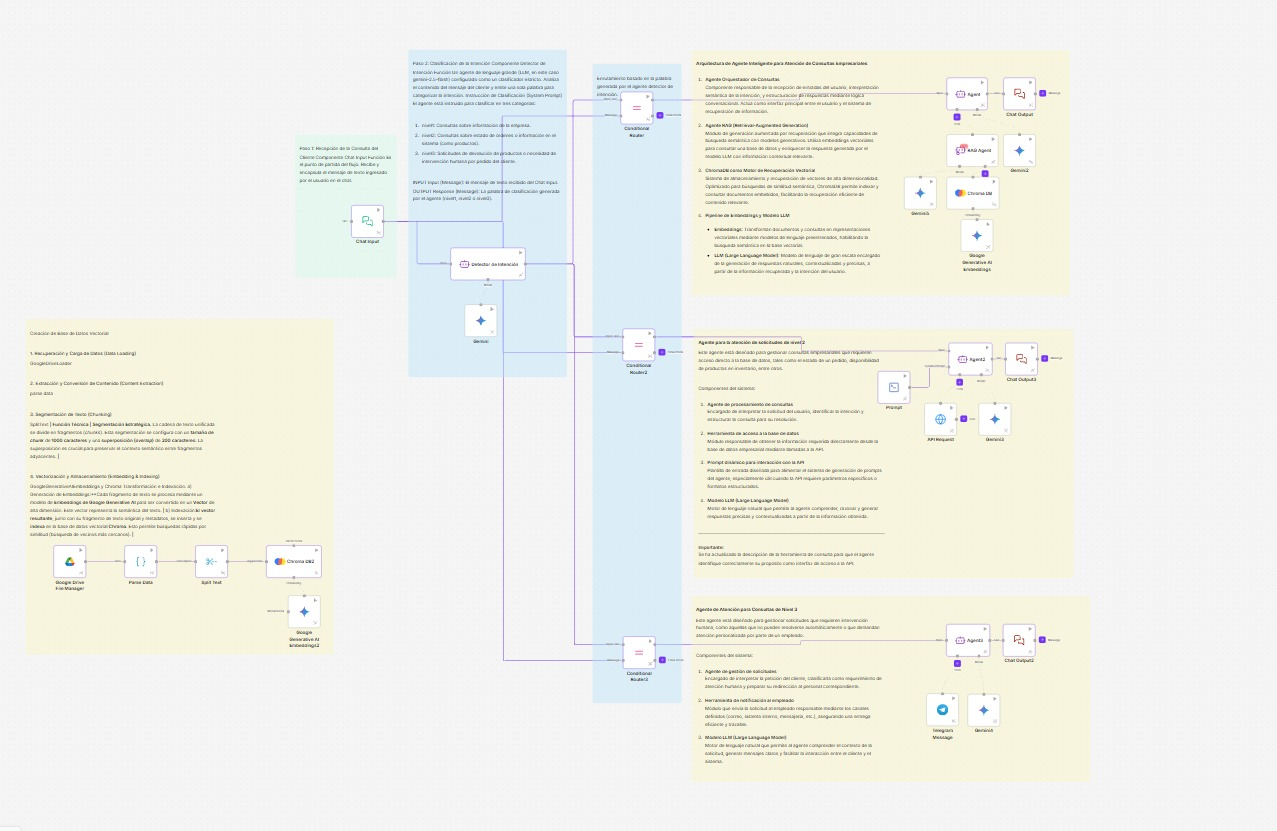
Required Components
Google Drive File ManagerParse DataSplit TextGoogle Generative AI EmbeddingsChroma DB
Step-by-Step Construction and Configuration
Add the following components to the canvas and connect them as indicated:
-
Google Drive File Manager- Purpose: To load the document with your company’s policies.
- Configuration:
Credential: SelectMy Drive Credential.Operation:Get.Mode of Input:By Selection.Select file: Choose the PDF or document containing your information.
-
Parse Data- Purpose: To extract the text from the document.
- Connection: Connect the
Dataoutput of theGoogle Driveto thedatainput of this component.
-
Split Text- Purpose: To divide the text into manageable fragments (chunks).
- Connection: Connect the
processed_dataoutput of theParse Datato thedatainput. - Configuration:
Chunk Size:1000.Chunk Overlap:200.
-
Google Generative AI Embeddings- Purpose: To prepare the model to convert text into vectors (embeddings).
- Configuration:
Credential: SelectMi Credencial de Gemini.
-
Chroma DB- Purpose: To store the text fragments as vectors in the Vector Store.
- Connections:
- Connect the
chunksoutput of theSplit Textto theingest_datainput. - Connect the
embeddingsoutput of theGoogle Generative AI Embeddingsto theembeddinginput.
- Connect the
- Configuration:
Operation:Add.Collection Name:ecommerce_policies(save this name, you will need it).
By running this flow, you will have created your knowledge base.